Confetti Gallery.

For the people getting married

The best photos of your day are in everyone else's pockets.

Confetti gives you one QR code for your wedding. Guests scan it, upload the shots they took, and every photo lands in a single shared gallery — yours to browse, download and keep.

No app · Guests need no account · Set up in two minutes

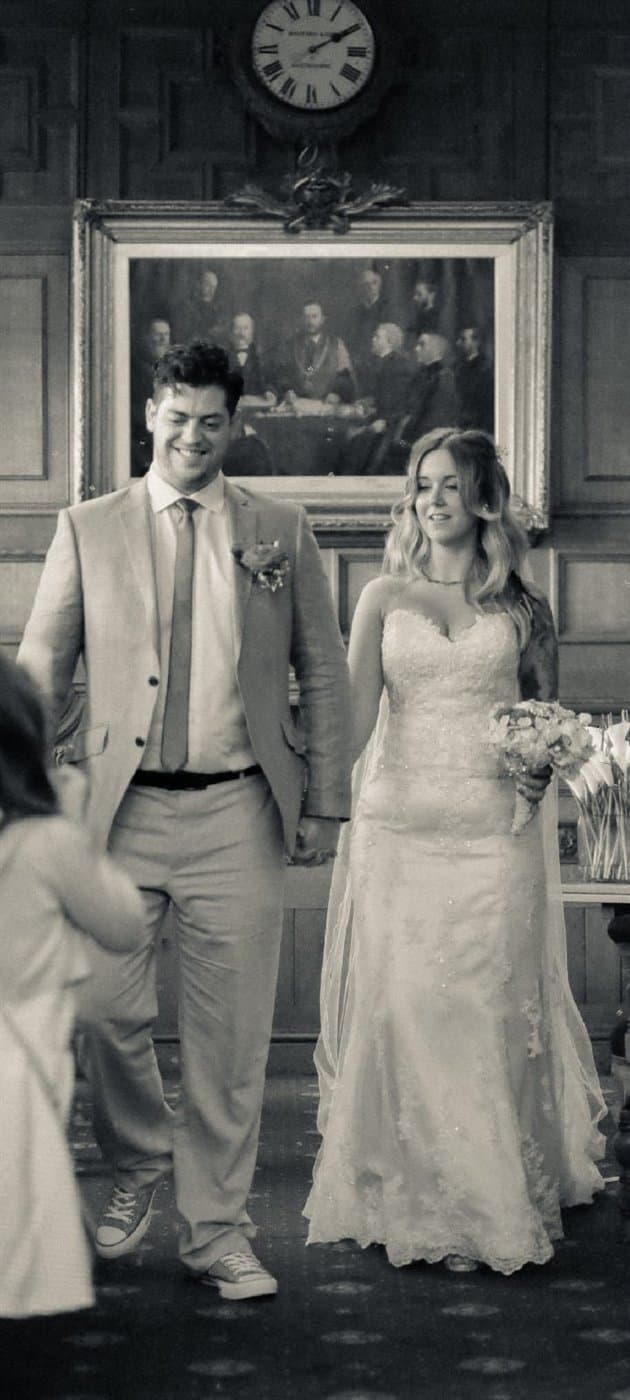
just married
every guest's photos · one gallery

How it works

Three steps, nothing to install

  1. 01

    Print one QR code

    Pop it on the tables, the bar, the order of service. Guests scan with their camera — no download, no account, nothing to explain.

  2. 02

    Guests add their photos

    They pick the shots they love and sign them with their name. Every photo flows into your one shared gallery as it happens.

  3. 03

    Keep every original

    Browse the whole day together, hand-pick a public highlights gallery, then download every full-resolution original to keep forever.

The guide

How to collect your guests' wedding photos properly

Your photographer captures the wedding they were hired to capture. Your guests capture the one you'll actually miss — the bit at the back, the bit after midnight, the bit nobody was posing for. Here's how to end up with both.

Why your photographer's gallery isn't the whole day

A wedding photographer is one person, and for most of your day they are standing where the money shots are: the aisle, the confetti line, the speeches, the first dance. That's exactly what you're paying for, and it's exactly why hundreds of moments happen out of their frame.

Your ushers were laughing about something at the back during the vows. Your grandmother was crying before you'd said a word. Somebody's four-year-old fell asleep under the top table. Those photos exist — around eighty people were carrying cameras — but they exist on eighty different phones, and by the time you think to ask, the moment has been buried under three months of other pictures.

The gap isn't quality. Phone cameras are extraordinary now. The gap is retrieval: there has never been a sane way to get eighty people to send you the photos they took on a day none of them will remember the details of by Tuesday.

Why group chats and shared albums quietly fail

Almost every couple tries one of three things. A WhatsApp group, which compresses every photo to a fraction of its resolution and buries them under 400 messages of congratulations. A shared cloud album, which needs the right account, the right app and the right operating system, and so collects photos from about a fifth of your guests. Or a hashtag, which stopped working when everyone's accounts went private.

Each of them fails for the same reason: they ask the guest to do something they weren't already doing. Download this. Sign in to that. Remember to add me. On the day itself, standing up with a drink in one hand, the number of people who will complete a three-step process is small — and it is smallest among precisely the guests whose photos you most want, the older relatives who take the honest, unposed ones.

What works is removing every step but one. A guest points their camera at a code, taps a link, picks their photos, types their name, done. No install, no account, nothing to remember later. That's the whole design.

How many photos to actually expect

Set your expectations sensibly and you'll be delighted rather than disappointed. Assume that a good fraction of your adult guests will upload rather than all of them — and that the ones who do will send several shots at once rather than a single photo, because people tend to hand over a run of pictures from the same moment.

That means a hundred-guest wedding usually lands somewhere in the high hundreds of photos, arriving in two waves — a flurry during the reception, then a long tail over the following fortnight as people go through their camera roll at home. The second wave is often the better one. People choose more carefully when they're not three drinks in.

This is why the gallery stays open for a month after your date rather than closing at midnight. The photo you'll frame is quite often one that arrives eleven days later from an aunt who had to ask her son how to do it.

Getting guests to actually use it on the day

The single highest-leverage thing you can do costs nothing: have someone say it out loud once. Whoever is doing the housekeeping notices — the best man, the toastmaster, whoever tells everyone where the toilets are — should add one sentence. "There's a code on your table. Point your camera at it and send the couple your photos." A code nobody has explained is decoration; a code somebody has just mentioned is an instruction.

After that it's about placement and wording. Put the code where people already are and already bored: the table, the bar queue, the back of the order of service. Write an instruction next to it rather than leaving a bare square — "Point your camera here to add your photos" beats a logo every time. And print it properly: at least 4cm across, dark on light, on matte card rather than something glossy that catches the uplighters.

Don't ask for photos twice on the night. One clear ask, well placed, then let the long tail do the rest. Chasing during the reception is the fastest way to make it feel like homework.

What to do with them afterwards

Once you're back, browse the whole thing together — it is genuinely one of the better evenings of the first fortnight of marriage, because you'll see your own wedding from angles you didn't know existed, each one signed with the name of whoever caught it.

Then unlock and download the zip. Do this the same day. The photos are permanently deleted a month after your wedding date, and that deletion is real: there's no archive, no backup and no way for us to get them back for you afterwards. It's a deliberate privacy decision, but it does put the responsibility on you to save your copy.

If you want to share, publish a curated public gallery — you pick which photos go in it, and it gets its own link protected by a simple question. That's what you send round the family group chat, rather than handing anyone the run of everything your guests uploaded.

Placement

Where to put the QR code

Placement matters more than anything else you'll decide. These are the spots that work for this kind of event, roughly in order of how much they collect.

  1. 01

    On every table

    The workhorse. A small card in the centre of each table, next to the flowers, gets seen during the wait between courses — which is exactly when people are on their phones anyway.

  2. 02

    In the order of service

    A code printed on the back page reaches guests while they're sitting still with nothing else to read — which is also when the ceremony photos are being taken.

  3. 03

    By the bar

    An A5 sign propped where people queue. The bar is the one place every single guest visits, and queueing is dead time you can use.

  4. 04

    On the back of place cards

    Personal and impossible to miss, though it means printing the code onto every card. Worth it if you're already doing bespoke stationery.

  5. 05

    Next to the guest book

    Guests are already in the mood to leave you something. Putting the code where they sign turns one gesture into two.

Whatever you choose: print the code at least 4cm across, dark on light, on matte rather than glossy card, and write a line of instruction beside it. A bare code with a logo collects a fraction of what a code with “Point your camera here to add your photos” collects.

The run-up

What to do, and when

  1. A month before

    Create your gallery and get the QR code. Send it to whoever is printing your stationery so the code can go on the order of service and the table cards rather than being an afterthought on a laminated sheet.

  2. The week before

    Print a couple of spare A5 signs for the bar and the guest book table, and tell your best man or toastmaster the one sentence you'd like said during the housekeeping.

  3. On the day

    Nothing. Genuinely — the codes are out, the ask has been made, and you have a wedding to be at. Photos will start appearing during the reception.

  4. The week after

    Browse what's landed. Expect a steady trickle rather than everything at once; the guests who upload from home tend to send the best-chosen sets.

  5. Before the month is up

    Unlock, download the full-resolution zip, and back it up somewhere you trust. Then publish a curated public gallery for the family if you want one.

One shared gallery

Every guest's angle, gathered in one place.

The quiet moments, the big ones, the shots you'd never have seen — each one signed by the guest who caught it.

— table 4
— the whole gang
— the spread

One simple price

Free to collect. Pay once to keep.

£25.00once per gallery

  • ✓Unlimited guest uploads
  • ✓Your private gallery + printable QR code
  • ✓Every original in full resolution
  • ✓A curated public highlights gallery to share
  • ✓Photos kept 30 days after the event
Start free, pay to download

Spread the word

Refer 5 hosts, and yours is on us.

Every gallery comes with a referral code. When 5 people you send our way set up and unlock their galleries, your download is completely free.

Weddings — questions

What weddings hosts ask

The questions specific to this kind of event, plus the ones everyone asks. There are more on the full questions and answers page.

Will this annoy my wedding photographer?
It shouldn't, because it isn't competing with them. Your photographer is producing the considered record of the day; this collects the amateur one that happens in parallel whether you gather it or not. If anything it takes pressure off them, because nobody expects one person to have been in four rooms at once. It's still worth mentioning it to them, the same way you'd mention a videographer.
Should we use this instead of a photographer?
No, and we'd say so even though it costs us the sale. Guest photos are unposed, uneven and occasionally blurry — that's their charm, not a substitute for someone who knows how to light a room and where to stand during the vows. The couples who are happiest with Confetti are the ones who hired a photographer and used this to catch everything the photographer couldn't be present for.
What about guests who aren't good with technology?
The flow is deliberately short for exactly this reason: camera, tap, pick, type a name. There's no account to make and no app to find in a store, which removes the two steps that usually defeat people. In practice the thing that helps most is a younger guest at the table showing one older guest once — after that the table sorts itself out.
Can we collect photos from the rehearsal dinner or the day after too?
Yes, though a gallery covers one event, so a separate one keeps things tidy. You can equally run a single gallery across the whole weekend and simply let the brunch photos land in with everything else — that works fine, and the uploader names make it obvious what came from when.
We eloped or had a tiny wedding. Is this overkill?
Not at all, and small weddings are arguably a better fit. With twelve guests there's no photographer covering the corners, so guest photos aren't the supplement — they're the record. The price is the same whether five people upload or five hundred.
Our wedding was last month. Is it too late?
Probably not, if it was recent. Set up a gallery with your wedding date and the retention clock runs from that date, so if you're inside the month you can still send the link round and collect what people have. Beyond that, the window's gone — but a gallery dated to today will still gather everything anyone sends you now.
Do guests need an account or a password?
No. A guest scans the code, picks photos from their camera roll, types their first name so you know who took what, and uploads. There is no sign-up, no email address and no password. The only person with an account is you, the host.
Is there a limit on how many photos guests can upload?
No. Uploads are unlimited, from as many guests as you like. The only cap is per file: a single photo can be up to 25MB, which is comfortably more than any phone camera produces.
How long do you keep the photos?
30 days after your event date. A job runs every night and permanently deletes the photos of any gallery past that point, from the database and from storage. This is a real deletion, not an archive — which is exactly why you should download your zip as soon as you've unlocked it.

The day is one day.
The photos are forever.

Set up your gallery in minutes, print the QR code, and let every guest hand you the photos you'd never have seen.

Create your gallery

Or read how your photos are handled first.