Confetti Gallery.

For christenings, baby showers & family days

The photos you'll treasure are on every guest's phone.

Confetti gives you one QR code for the day. Guests scan it, upload the shots they took, and every photo lands in a single shared gallery — yours to browse, download and keep.

No app · Guests need no account · Set up in two minutes

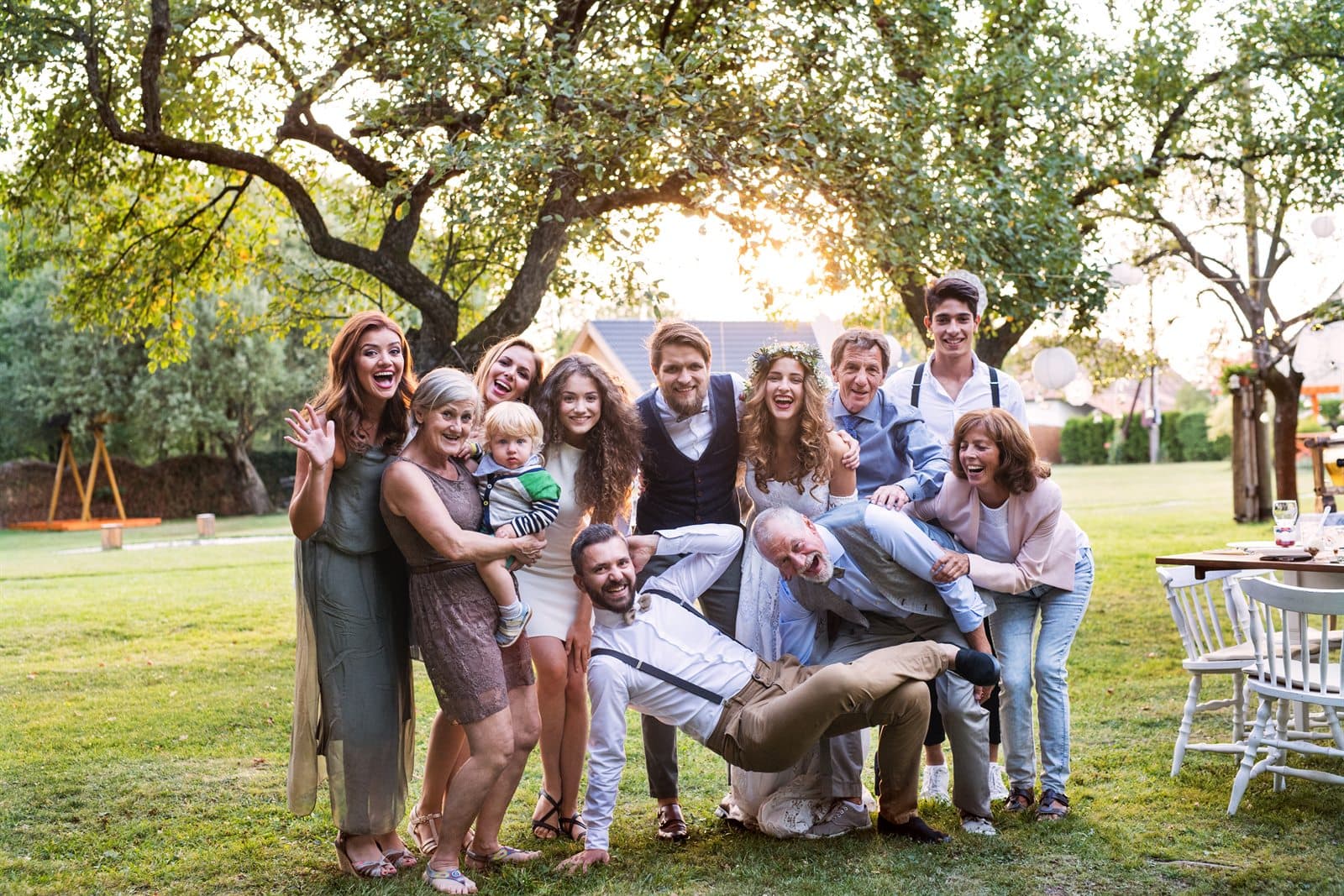
the whole family
every guest's photos · one gallery

How it works

Three steps, nothing to install

  1. 01

    Print one QR code

    Pop it on the table, the gift table, the cake. Guests scan with their camera — no download, no account, nothing to explain.

  2. 02

    Guests add their photos

    They pick the shots they love and sign them with their name. Every photo flows into your one shared gallery through the day.

  3. 03

    Keep every original

    Browse the whole day, hand-pick a public highlights gallery for family, then download every full-resolution original to keep.

The guide

How to gather every guest's photos from a christening or baby shower

These are the days where the person at the centre of it won't remember anything, and where the photos are the only thing that survives. They're also the days where nobody hires a photographer. Here's how not to lose them.

The days that matter most are the least documented

A wedding gets a photographer. A christening, a naming day, a baby shower, a big family lunch for a grandparent's eightieth — these get whoever remembers to take their phone out. And yet they're the days most likely to be the last time a particular group of people is in one room.

There's a specific loss that happens here and it's worth naming. The photos of a great-grandparent holding a baby exist on a handful of phones, one of which belongs to someone who doesn't back anything up. Ten years later, when that photo is the one everybody wants, it's on a device in a drawer.

Pooling everything on the day, into one place, is a small piece of admin that turns out to matter enormously later. It costs an afternoon's attention and preserves something no amount of money can reconstruct afterwards.

Designing for guests who aren't comfortable with phones

Family events skew older than most, and that changes what works. Anything requiring an app, an account or a password will collect photos from the under-forties and nobody else — which is precisely backwards, because the older relatives are often the ones with the photographs you most want.

The flow here is four steps with no account anywhere: point the camera at the code, tap the link that appears, choose photos, type a first name. That's within reach of most people who can already take a photo and send a text. The thing that closes the gap entirely is one younger relative sitting with one older relative and doing it once — after which that table generally sorts itself out.

It also helps to leave the short link printed under the code, in a readable size. Some people will always prefer typing an address to pointing a camera at a square, and that's fine.

Privacy when the photos are of a child

This is the question that matters most for these events, so here it is plainly. The gallery is private by default. Photos go to your gallery, not to a feed, not to a public page and not anywhere findable — galleries are excluded from search engines entirely and there is no browsable index of them anywhere on the site.

Guests who haven't uploaded can't browse it either; they see an upload prompt rather than the photos. So a link forwarded on to someone you didn't invite doesn't open your child's christening to a stranger.

Nothing becomes shareable unless you decide it should. If you want to send something round, you publish a curated gallery — you choose each photo that goes into it, and even that is protected by a question only people who were there can answer. And everything is permanently deleted a month after the event, so you aren't leaving a permanent online record of a child who didn't get to consent to one.

Getting photos out of the relatives who never send anything

Every family has them: the aunt with four hundred excellent photographs who has never once sent one to anybody. The trick isn't persistence, it's timing and format. Ask on the day, in the room, when the phone is already out — and give them something to point at rather than an instruction to remember.

The second wave matters just as much here as the first. Send the short link into the family group chat once the following week, and photos will arrive for a fortnight from people who needed to sit down at home and work through their camera roll. That's usually where the grandparents' contributions come from, and often where the single best photo of the day turns up.

One ask, one reminder, then leave it. The gallery stays open for a month after the event date, so there is no rush and no need to chase anybody twice.

Keeping them properly, for a long time

Browse everything together first — it's a genuinely lovely hour, and you'll see the day from the angle of every person who was there, each photo signed with whoever took it.

Then unlock and download the full-resolution zip, and this one matters more than for any other kind of event: put it somewhere durable. Not just the phone. A backup drive, a cloud account you actually pay for, a copy sent to another family member. These are the photos that people ask for in twenty years, and twenty years is longer than most storage arrangements survive.

The gallery itself is deleted permanently a month after the event date, with no archive and no way for us to restore it. That's the right privacy default for photos of a child, but it does mean your own copy is the copy that lasts.

Placement

Where to put the QR code

Placement matters more than anything else you'll decide. These are the spots that work for this kind of event, roughly in order of how much they collect.

  1. 01

    On the tables at the reception

    Where the day slows down and people sit with a cup of tea and a phone. A small card per table does most of the collecting.

  2. 02

    By the cake or the gift table

    Both are natural gathering points, and both are already surrounded by people taking photos of the same thing from six angles.

  3. 03

    In the order of service

    For a christening or naming ceremony, the back page reaches people during the part they're least likely to photograph themselves — and most likely to have been photographed by someone else.

  4. 04

    On the invitation

    Especially useful for relatives travelling in. They arrive knowing what the code is, and photos start arriving from the journey and the morning.

  5. 05

    In the family WhatsApp group

    The short link, sent once after the day. This is where the grandparents' photos come from — the ones taken on a phone that never leaves the house otherwise.

Whatever you choose: print the code at least 4cm across, dark on light, on matte rather than glossy card, and write a line of instruction beside it. A bare code with a logo collects a fraction of what a code with “Point your camera here to add your photos” collects.

The run-up

What to do, and when

  1. When invitations go out

    Create the gallery and put the code or short link on the invitation, so relatives travelling in have it before they set off.

  2. The week before

    Print table cards and one for the cake or gift table. If there's an order of service, get the code onto the back page.

  3. On the day

    Ask once, warmly, when people are sitting down with a drink. Pair one younger relative with one older one for the first upload — the rest of the table follows.

  4. The week after

    Send the short link into the family group chat. This is reliably where the grandparents' photos come from.

  5. Within the month

    Unlock, download the zip, and put a copy somewhere that will outlast your current phone. Publish a curated gallery for family who couldn't come.

One shared gallery

Every guest's angle, gathered in one place.

The quiet moments, the big ones, the shots you'd never have seen — each one signed by the guest who caught it.

— table 4
— the whole gang
— the spread

One simple price

Free to collect. Pay once to keep.

£25.00once per gallery

  • ✓Unlimited guest uploads
  • ✓Your private gallery + printable QR code
  • ✓Every original in full resolution
  • ✓A curated public highlights gallery to share
  • ✓Photos kept 30 days after the event
Start free, pay to download

Spread the word

Refer 5 hosts, and yours is on us.

Every gallery comes with a referral code. When 5 people you send our way set up and unlock their galleries, your download is completely free.

Christenings & baby showers — questions

What christenings & baby showers hosts ask

The questions specific to this kind of event, plus the ones everyone asks. There are more on the full questions and answers page.

Is it safe to collect photos of my child this way?
The gallery is private by default and never appears in search engines — there's no public page, no feed and no browsable list of galleries anywhere. Guests who haven't uploaded see a prompt rather than your photos, so a forwarded link doesn't expose anything. Nothing becomes shareable unless you deliberately publish a curated selection, and everything is permanently deleted a month after the event.
What if a guest uploads a photo of someone else's child?
Email us with the gallery link and we'll remove it — there's no self-serve delete yet, so it's a message rather than a click, and we'd rather say that than pretend otherwise. Because nothing is public unless you publish it, a photo you'd rather wasn't there is only ever seen by you and the guests who contributed.
Most of our family aren't good with technology. Will they manage?
It's the shortest flow we could design for exactly this reason: camera, tap, pick, name. No app, no account, no password. In practice the thing that works best is one younger relative doing it once alongside one older relative — after that the table teaches itself. Leaving the short link printed under the code helps the people who'd rather type an address.
Can relatives who couldn't travel see the photos?
Yes, once you've unlocked. Publish a curated public gallery — you choose exactly which photos go into it — and it gets its own link, protected by a simple question about the date. That's what you send to family abroad, rather than handing anyone access to everything guests uploaded.
We're doing a baby shower rather than a christening. Does it still fit?
Yes — same setup, and it suits showers particularly well because the photography is entirely guest-driven. You could run one gallery across the shower and the christening months later, though a separate one for each keeps them tidier and each gallery's month-long window starts from its own date.
Can I keep the photos longer than a month?
The gallery itself closes a month after the event date and the files are then permanently deleted — but your downloaded zip is yours forever, at full resolution, with no restrictions. If you need the gallery open longer, email us before the deadline and we'll extend it. After the nightly deletion has run, nobody can get them back, us included.
Do guests need an account or a password?
No. A guest scans the code, picks photos from their camera roll, types their first name so you know who took what, and uploads. There is no sign-up, no email address and no password. The only person with an account is you, the host.
Is there a limit on how many photos guests can upload?
No. Uploads are unlimited, from as many guests as you like. The only cap is per file: a single photo can be up to 25MB, which is comfortably more than any phone camera produces.
How long do you keep the photos?
30 days after your event date. A job runs every night and permanently deletes the photos of any gallery past that point, from the database and from storage. This is a real deletion, not an archive — which is exactly why you should download your zip as soon as you've unlocked it.

The day is one day.
The photos are forever.

Set up your gallery in minutes, print the QR code, and let every guest hand you the photos you'd never have seen.

Create your gallery

Or read how your photos are handled first.